Thunder VPN Mod APK For Android (Ad-free)

Information
| App Name | Thunder VPN Mod APK |
| Version | 5.4.8 |
| Download File Size | 9 MB |
| Platform | Android |
| Required Android | 5.0 and up |
| App Category | Tools |
| Get it on |  |
| Price | Free |
Introduction to Thunder VPN Mod APK
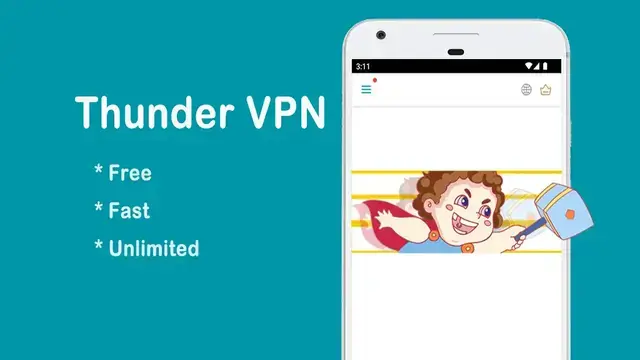
Thunder VPN Mod APK is an easy-to-use VPN application that offers Android users the easiest way to browse the internet with more privacy and fewer interruptions. It is made for those who want to use a VPN without spending time understanding complicated settings or making manual changes to their network. Thunder VPN works by routing internet traffic through its VPN servers, which helps hide the user’s original IP address and provides a different virtual location while browsing. One of the things that makes the app appealing is the combination of quick server connections, multiple server options, a clean user interface, and an ad-free user experience.
Features of Thunder VPN Mod APK
One-Tap Connection
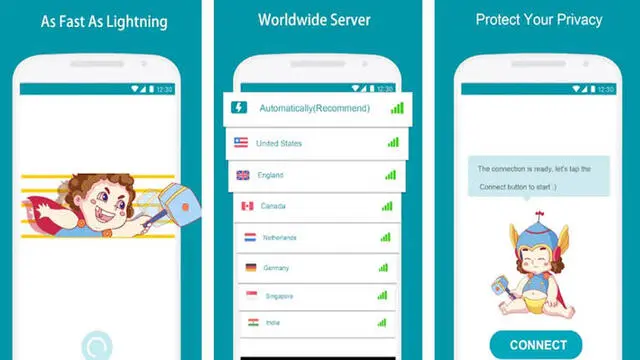
Thunder VPN Mod APK allows users to connect to a VPN server with a single tap, without going through lengthy setup steps or manual configurations.
Multiple Server Locations
Thunder VPN provides different server locations, allowing users to choose a suitable connection based on their browsing needs.
IP address masking
Thunder VPN helps hide the user’s original IP address by routing internet traffic through its VPN servers. This gives users a little more privacy while browsing and using online services.
Ad-free experience
The modified version offers an ad-free interface, so users can browse the app and connect to servers without frequent advertising interruptions.
Premium Server access
Premium servers give users more options to select locations to choose connections from. It is only possible by using the Thunder VPN Mod APK.
Beginner-friendly interface
Its simple layout makes it easy to find connection options and manage basic VPN settings, even for people using a VPN for the first time.
Quick Server connection
Thunder VPN allows users to quickly connect to available servers without dealing with complicated network configurations.
Pros and cons of Thunder VPN Mod APK
Pros
- Easy to use
- Quick VPN connection
- Ad-free experience
- Extra privacy on public Wi-Fi
- Beginner-friendly interface
Cons
- Connection speed may vary
- Required manual updates for new versions
- No official support
How to download the Thunder VPN Mod APK
Follow these steps:
- Open the browser on your phone.
- Visit happymodprime.com.
- Search “Thunder VPN Mod APK” in the search box.
- Open the article, read it, and scroll down.
- Click on the download button.
- Wait till the download process is completed.
How to install the Thunder VPN Mod APK
Follow these steps:
- Go to the device settings and enable unknown sources.
- Open the downloaded file in your file manager.
- Click on the install button.
- After installation is complete, you can use the app.
FAQs
Can I use Thunder VPN Mod APK on iOS?
No, Thunder VPN Mod APK is designed for Android users only.
What is the benefit of using Thunder VPN Mod APK?
Users get an ad-free experience and premium server access for free in Thunder VPN Mod APK.
Can I use Thunder VPN on public Wi-Fi?
Yes, you can use a VPN while connected to public Wi-Fi.
Conclusion
Thunder VPN Mod APK makes it easy to enjoy a VPN connection without getting involved in complicated settings or technical steps. Users can connect to different servers, switch their virtual location whenever needed, and browse the internet with an added layer of privacy, all while enjoying an ad-free experience and fewer restrictions. It also brings together the advanced options available in the modified version, giving users more flexibility while using the app. Whether someone needs a VPN for regular browsing, connecting through public Wi-Fi, or keeping their original IP address hidden, Thunder VPN Mod APK offers a convenient way to handle these everyday needs without making things complicated.