Auto Clicker - Automatic tap APK Download for Android

Information
| App Name | Auto Clicker APK |
| Latest Version | v2.6.4 |
| MOD Info | Pro Unlocked |
| Download Size | 12.6 MB |
| Platform | Android |
| Require Android Version | Android 7.0 and Up |
| App Category | Tools |
| Price | Free |
Overview of Auto Clicker APK
Auto Clicker APK is a free Android tool. If you use an Android phone a lot for gaming, social media, or any task that needs repeated taps, then this tool is for you because this tool taps your screen for you at the exact spot and speed you set. Here, no root is needed, and no technical knowledge is required.
Here, just set it up, and it runs in the background. I have personally tested several Auto Clicker apps, but this tool stands out because of its lightweight, simple-to-use, and effective work on most Android devices running version 7.0 and above.
What is Auto Clicker APK
Auto Clicker APK is a tap automation tool for Android phones. It uses the phone’s Accessibility Service to simulate screen taps without physically touching the display.
This tool works great for:
- Mobile games that need repeated tapping (like clicker games)
- Auto-scrolling through long pages.
- Filling repetitive forms
- Testing apps or websites
- Any tasks where you tap the same spot many times.
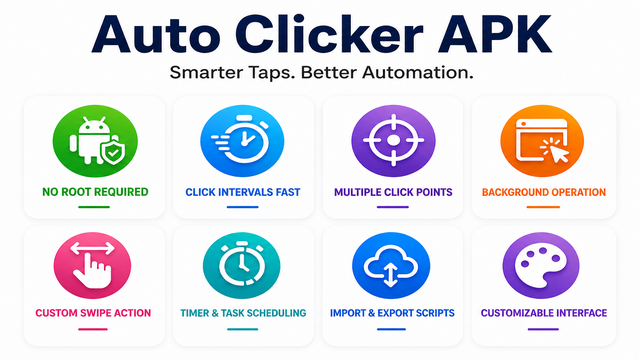
Features
No Root Required
Most of the automation tools on Android devices require root access, but this tool does not ask for it. The tool works on a standard Android device using the Accessibility Service API, which means it is safe and does not void your warranty
Click Intervals Fast
Here, we can set the tap speed to as low as 1 millisecond, which is incredibly fast. It’s great for the clicker games or any app that rewards rapid input.
Multiple Click Points
In this tool, we can set up more than one tap location at the same time. It follows each point in the order that we choose. Useful for multi-step tasks that need taps at different spots.
Background Operation
This tool runs in the background. We can use other apps while it keeps tapping, that’s why no need to leave it open on your screen.
Custom Swipe Action
In the tool, we can set up automated swipe gestures. It is useful for scrolling apps, swiping through game levels, or any action that needs a finger drag.
Timer and Task Scheduling
Here, we can set a timer so the auto clicker stops after a fixed time. If you want to run only 30 minutes, then just set it, and then it stops working after 30 minutes.
Import and Export Scripts
This is a feature most competitors skip. You can save your click scripts and share them. If you switch phones or reinstall the app, your settings are not lost.
Customizable Interface
It sports different themes and skins. It is a small detail, but it makes daily use feel more personal.
Pros and Cons
Pros
- Free to use
- No root needed
- Very fast click speed
- Easy to set up
- Runs in the background without slowing your phone.
- Script import/export saves your settings.
Cons
- Unstable performance
- Privacy problem
- Not available official support
- Security Problem
How to download Auto Clicker APK
- Just launch your preferred browser.
- Then, search for “Auto Clicker APK” or “Auto Clicker APK Pro,” or you can also visit a trusted APK site like happymodprime.com.
- Find the latest version of this tool.
- Open that particular article and read that guidance,
- Then find the Download button and click on it.
- Wait for the download to complete before moving to installation.
How to Install Auto Clicker APK
- First, open your device settings.
- Then go to security and turn on “Install from Unknown Sources”.
- Open the file manager and find the downloaded file.
- Open that file and click on the install button.
- After the installation, you can use the tool.
FAQ
Q. Is Auto Clicker APK safe to use?
Yes, it is safe to use, but only when we download from a trusted source. The app does not collect personal data.
Q. Does Auto Clicker APK work without root?
Yes. Root access is not required. It works on most Android phones running version 7.0 or higher.
Q.Can I use this tool on iOS?
No. Auto Clicker APK is built for Android only.
Q. Does the tool drain my battery faster?
It depends on how long you run it. For short tasks — say, 10 to 20 minutes — battery impact is minimal
Conclusion
Auto Clicker APK is one of the best free tools for those who want to automate repetitive screen taps on Android. It is lightweight, fast, and does not need root access. Also, setup easy to and only takes 5 minutes, and once it is running, you barely notice it is there. If you want more control over your scripts and want to remove ads, the Auto Clicker APK Pro version is worth considering.